



What is the compatibility of P25 LED Media Facade with different software?
 Aug 04, 2025|
Hey there! I'm a supplier of P25 LED Media Facade, and today I wanna chat about the compatibility of this awesome product with different software.
Let's start by getting a bit of background. The P25 LED Media Facade is a game - changer in the world of digital signage. It's super bright, has high - quality visuals, and can be used for all sorts of applications, from advertising on building facades to creating immersive event backdrops. But for it to really shine, it needs to work well with the right software.
First off, let's talk about media player software. There are tons of options out there, and the good news is that the P25 LED Media Facade is pretty flexible when it comes to compatibility. Software like Novastar and DVI - S3 are popular choices. Novastar is known for its user - friendly interface and powerful features. It allows you to easily manage the content that's being displayed on the LED media facade. You can schedule playlists, adjust brightness, and even control multiple screens at once. The P25 LED Media Facade integrates smoothly with Novastar, and you won't have to deal with a lot of technical headaches.
DVI - S3, on the other hand, is a bit more advanced. It offers high - speed data transmission and supports a wide range of video formats. If you're looking to display high - definition videos or complex graphics on your P25 LED Media Facade, DVI - S3 is a great option. The compatibility here is also top - notch, and you can expect a seamless connection between the software and the LED display.
Another type of software that the P25 LED Media Facade can work with is content management system (CMS) software. CMS software is essential if you want to update and control the content on your LED display remotely. One well - known CMS is Scala. Scala provides a cloud - based platform where you can create, schedule, and distribute content across multiple displays. The P25 LED Media Facade can be easily connected to the Scala CMS, allowing you to manage your signage from anywhere in the world. This is really useful for businesses that have multiple locations or for event organizers who need to quickly change the content on the display.
However, not all software is a perfect match. Some older or less - developed media player software might have issues with the P25 LED Media Facade. For example, software that doesn't support the high refresh rate of the P25 display might cause flickering or blurry images. So, it's important to do your research and choose software that is specifically designed to work with high - end LED displays.
Now, let's touch on some factors that can affect the compatibility. One of the main things is the resolution. The P25 LED Media Facade has a specific resolution, and the software you use needs to be able to handle it. If the software has a lower maximum resolution than the display, you won't be able to take full advantage of the P25's capabilities. Another factor is the data transfer rate. The P25 display requires a certain amount of data to be transferred quickly to ensure smooth and high - quality visuals. Software that has a slow data transfer rate can lead to lag or interrupted playback.
When it comes to other related products in our lineup, like the P37.5 Flexible LED Curtain and the P56 Transparent LED Mesh, they also have their own software compatibility requirements. The P37.5 Flexible LED Curtain is great for creating unique, curved displays. It can work with similar media player and CMS software as the P25 LED Media Facade, but because of its flexible nature, it might require some additional calibration in the software to ensure that the content is displayed correctly.
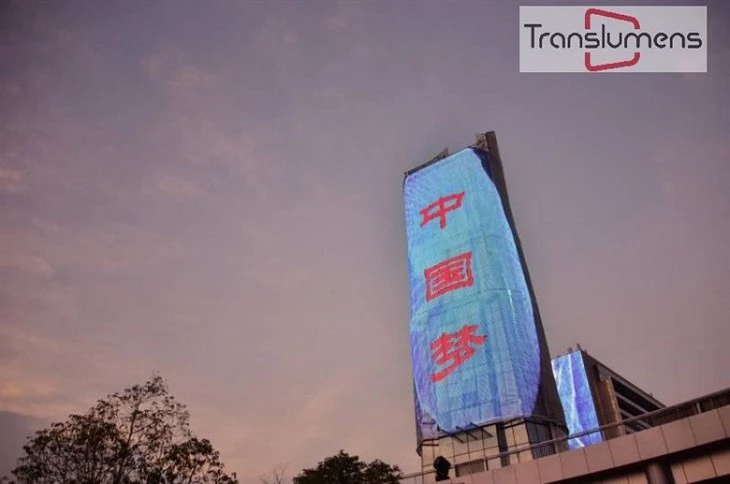

The P56 Transparent LED Mesh, on the other hand, is designed for applications where transparency is key, like storefronts or museum displays. It also needs software that can handle its unique characteristics, such as the ability to blend the digital content with the real - world background. The good news is that most of the modern media player and CMS software can be configured to work with these different types of LED products.
In conclusion, the P25 LED Media Facade is quite compatible with a wide range of software, especially the more popular and well - developed media player and content management system software. But it's crucial to consider factors like resolution and data transfer rate when choosing the software. Whether you're using it for a large - scale advertising campaign or a small - scale event, finding the right software will ensure that your P25 LED Media Facade looks its best.
If you're interested in purchasing the P25 LED Media Facade or any of our other LED products, and you have questions about software compatibility or anything else, don't hesitate to reach out. We're here to help you make the most of your LED display investment.
References:
- General knowledge from working in the LED display industry.
- Product documentation for Novastar, DVI - S3, and Scala software.